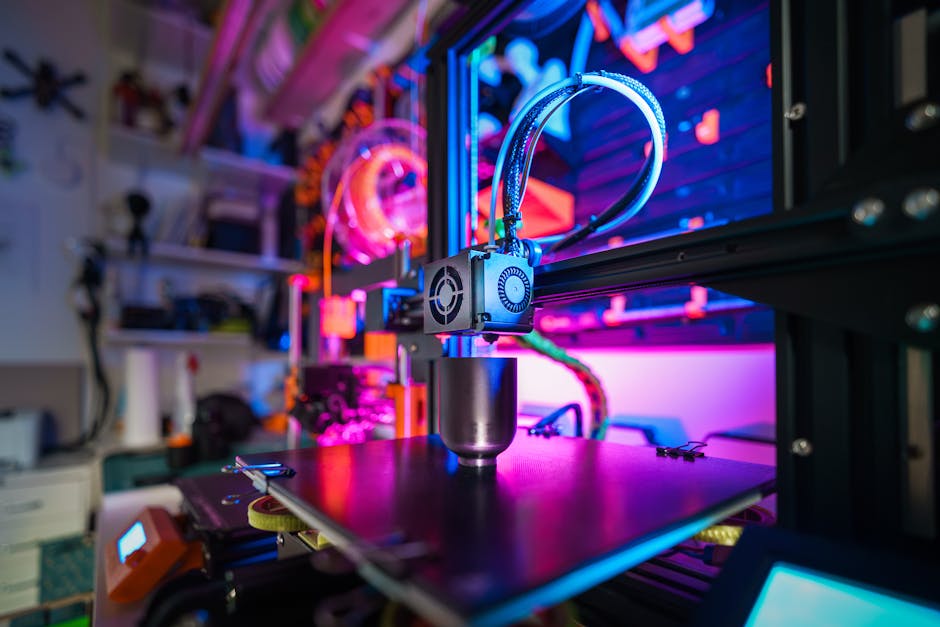
Imagine meticulously designing a complex miniature, the kind with intricate details that demand the utmost precision. Now, picture bringing that creation to life with stunning accuracy and speed. That’s the promise of modern resin 3D printers, and two contenders vying for the top spot are the ANYCUBIC Photon Mono M7 MAX and the Photon Mono M7 PRO. But which one is right for you?
A Tale of Two Printers: Initial Impressions
At first glance, both ANYCUBIC printers share a similar design aesthetic – sleek, modern, and clearly built for serious hobbyists and professionals. However, their specifications and intended use cases differ significantly. The M7 MAX boasts a larger build volume and a focus on high-precision, while the M7 PRO prioritizes speed and user-friendly features. This comparison will break down the key differences, helping you make an informed decision based on your specific needs and budget.
Specifications Showdown: M7 MAX vs M7 PRO
Let’s examine the core specifications of each printer:
| Feature | ANYCUBIC Photon Mono M7 MAX | ANYCUBIC Photon Mono M7 PRO |
|---|---|---|
| Price | $699.99 | $499.99 |
| LCD Screen Size | 13.6-inch | 10.1-inch |
| LCD Resolution | 7K | 14K |
| Build Volume | 11.73 x 6.46 x 11.81 inches | 8.77 x 4.96 x 9.05 inches |
| Maximum Print Speed | Not explicitly stated | 170mm/h |
| Light Source | L-Mono M7 M | COB LighTurbo 3.0 |
| Temperature Control | Yes | Dynamic Heating |
| User Rating | 4.1/5 (16 reviews) | 4.0/5 (105 reviews) |
Delving Deeper: Key Feature Analysis
Beyond the raw numbers, the differences in technology and design philosophy truly set these printers apart.
Resolution and Detail: The 7K vs 14K Debate
The resolution of the LCD screen is a crucial factor in determining the level of detail your prints can achieve. The M7 PRO, with its 14K resolution, theoretically offers significantly finer details compared to the M7 MAX’s 7K screen. This translates to sharper edges, smoother curves, and the ability to reproduce incredibly intricate designs. However, the real-world impact of this difference depends on several factors, including the resin used, the printer’s calibration, and the complexity of the model. For extremely detailed miniatures or jewelry, the 14K resolution of the M7 PRO gives it a clear advantage. For larger models or prints where extreme detail isn’t paramount, the 7K resolution of the M7 MAX is more than sufficient.
Build Volume: Size Matters
The M7 MAX offers a substantially larger build volume. This is a major advantage for users who frequently print large models, multiple parts simultaneously, or simply want the flexibility to tackle bigger projects. If you often find yourself constrained by the build volume of smaller printers, the M7 MAX is the obvious choice. The M7 PRO’s smaller build volume is still adequate for many projects, but it does limit the size and scope of what you can print.
Print Speed: Time is Money
The M7 PRO boasts a maximum print speed of 170mm/h, significantly faster than the M7 MAX (whose print speed is not explicitly advertised, suggesting it’s slower). This speed advantage can drastically reduce printing times, especially for larger or more complex models. If you value efficiency and want to minimize the time spent waiting for your prints to finish, the M7 PRO is the clear winner. However, it’s important to remember that optimal print speed depends on the resin used and the complexity of the model. Pushing the printer to its maximum speed may compromise print quality, so finding the right balance is crucial.
Temperature Control: Ensuring Consistent Results
Both printers feature temperature control mechanisms. Temperature fluctuations can significantly impact resin viscosity and curing, leading to print defects. The M7 MAX features a general temperature control system, ensuring stable printing conditions. The M7 PRO uses a dynamic heating function. While the specifics of each system differ, the goal is the same: to maintain a consistent temperature for optimal printing. This is particularly important in colder environments or when using resins that are sensitive to temperature changes. Maintaining a consistent resin temperature of around 30-35 degrees Celsius typically yields the best results.
Light Source: Uniformity and Efficiency
The M7 MAX utilizes an L-Mono M7 M light source, while the M7 PRO features a COB LighTurbo 3.0. Both light sources are designed to provide uniform and efficient curing of the resin. COB (Chip-on-Board) technology is known for its high light intensity and energy efficiency, potentially leading to faster curing times and reduced power consumption. However, the specific performance characteristics of each light source would require further testing and comparison.
The Importance of Post-Processing
Regardless of which printer you choose, post-processing is an essential step in achieving high-quality results. This typically involves washing the printed parts to remove uncured resin, followed by curing under UV light to fully harden the material. Investing in a good quality wash and cure station can significantly improve the efficiency and consistency of your post-processing workflow. Proper ventilation is also vital when working with resin 3D printers, as the fumes can be harmful. A well-ventilated workspace or an enclosure with a filtration system is highly recommended.
Beyond the Printer: The Resin Factor
The type of resin you use plays a significant role in the final outcome of your prints. Different resins offer varying properties, such as strength, flexibility, heat resistance, and color. Experimenting with different resins is essential to find the best match for your specific needs. For example, if you’re printing functional parts that need to withstand stress, you’ll want to use a high-strength resin. For decorative models, you might prioritize a resin with vibrant colors and excellent detail reproduction. Always consult the resin manufacturer’s recommendations for optimal printing settings and post-processing procedures. Resins typically cost between $20 and $50 per liter.
Print Bed Adhesion: A Critical Factor
Ensuring proper adhesion to the build plate is critical for successful prints. Insufficient adhesion can lead to warping, detachment, or even complete print failures. Several factors influence print bed adhesion, including the leveling of the build plate, the initial layer exposure time, and the type of build plate surface. Regularly cleaning the build plate with isopropyl alcohol is essential to remove any residue that could interfere with adhesion. Using a raft or brim can also improve adhesion, especially for models with small or complex bases. A well-leveled bed, combined with the correct exposure settings, is key to preventing print failures due to poor adhesion.
Who is Each Printer For?
- ANYCUBIC Photon Mono M7 MAX: Ideal for users who require a large build volume and prioritize high-precision printing. Perfect for printing large models, multiple parts simultaneously, or complex designs that demand exceptional detail. Also suitable for users who don’t mind a potentially slower print speed in exchange for greater size and detail. Check price on Amazon.
- ANYCUBIC Photon Mono M7 PRO: Best suited for users who value speed and efficiency. The 170mm/h print speed makes it ideal for rapid prototyping or mass production of smaller parts. The 14K resolution also ensures excellent detail reproduction. A great choice for hobbyists and professionals who need to quickly iterate on designs or produce high volumes of prints. See current deal.
The Verdict
Choosing between the ANYCUBIC Photon Mono M7 MAX and the M7 PRO depends largely on your individual priorities. If you need the largest possible build volume and prioritize detail above all else, the M7 MAX is the better choice. Its spacious build area provides ample room for large projects and complex designs. However, if speed is your primary concern, and you’re willing to trade off some build volume, the M7 PRO’s impressive 170mm/h print speed makes it a compelling option. Ultimately, both printers offer excellent value for their respective price points, so carefully consider your needs and budget before making a decision. If you are new to resin printing, the lower price point on the PRO might be a good entry point to this fascinating hobby. Consider researching the best resin for miniatures to see which printer would work best with those materials. Check availability.