Imagine this: your lights dim automatically at sunset, your smart locks secure the doors, and your robot vacuum starts its nightly clean – all orchestrated by your Home Assistant server. Seamless. Then, your thermostat kicks on, but it feels like a disconnected island in your otherwise unified smart home. Many smart thermostats are excellent on their own, but truly integrating one into Home Assistant, with local control and rock-solid reliability, requires a different approach. You’re not just buying a thermostat; you’re investing in a piece of your home’s central nervous system.
This guide cuts through the marketing speak. We’ll explore what makes a thermostat truly Home Assistant-friendly, what mistakes to avoid, and which specific models deliver on their promise of deep, local integration. Your goal is a thermostat that doesn’t just manage temperature, but actively participates in your custom automations, from occupancy-based heating to energy reporting that feeds directly into your dashboards.
Why Home Assistant Users Need a Specific Kind of Smart Thermostat
When you commit to Home Assistant, you’re embracing a philosophy of control. You want your devices to talk to your hub, not necessarily a third-party cloud server that could go down, change its API, or simply introduce lag. Generic smart thermostats, while convenient for many, often fall short of Home Assistant users’ expectations because they rely heavily on proprietary cloud services. This creates a bottleneck and a point of failure that goes against the core tenets of Home Assistant.
Home Assistant thrives on local control. This means your thermostat should ideally communicate directly with your Home Assistant instance, without needing an internet connection or a manufacturer’s server in between. This isn’t just about speed; it’s about privacy, reliability, and the ability to craft complex automations that wouldn’t be possible with cloud-dependent devices. A power outage might knock out your internet, but your locally controlled thermostat should still be able to maintain your home’s temperature, independently or through a local Home Assistant setup.
The Local Control Imperative
Local control is the bedrock for robust Home Assistant integrations. Devices that communicate locally—via protocols like Z-Wave, Zigbee, or even local APIs over your network—offer several advantages. They respond faster, operate even when your internet is down, and respect your privacy by keeping data within your home. For example, a Z-Wave thermostat talks directly to your Z-Wave controller (like a USB stick plugged into your Home Assistant server), not through an external company’s servers. This direct communication path makes for much more reliable and responsive automations.
Contrast this with many Wi-Fi thermostats that require constant cloud access. If the manufacturer’s server is offline, or if your internet service is interrupted, your Home Assistant automations might fail to control the thermostat. While some cloud-based integrations are incredibly well-engineered and offer robust features, they always carry an inherent dependency risk. For critical home functions like heating and cooling, minimizing these external dependencies is a priority for many Home Assistant enthusiasts.
Cloud Reliability vs. Your Smart Home Hub
The reliance on cloud services for smart devices creates a hierarchy of control that often clashes with Home Assistant’s design. Your Home Assistant instance is meant to be the central brain. When a thermostat requires its own separate cloud account and integration, it often means your commands travel from Home Assistant, up to the manufacturer’s cloud, then back down to your thermostat. This adds latency and potential failure points. If that cloud service experiences an outage, your finely tuned schedules or occupancy automations simply won’t execute.
Consider the recent outages affecting major smart home brands. Lights wouldn’t turn on, doors wouldn’t lock, and thermostats froze in their last state. For Home Assistant users, this scenario is precisely what we aim to avoid. We build robust local networks to mitigate such risks. While some cloud-integrated thermostats offer excellent features that can be useful, Home Assistant users often seek a balance, or outright prefer, options that put local control first, making their smart home truly resilient.
Common Pitfalls When Integrating Thermostats with Home Assistant
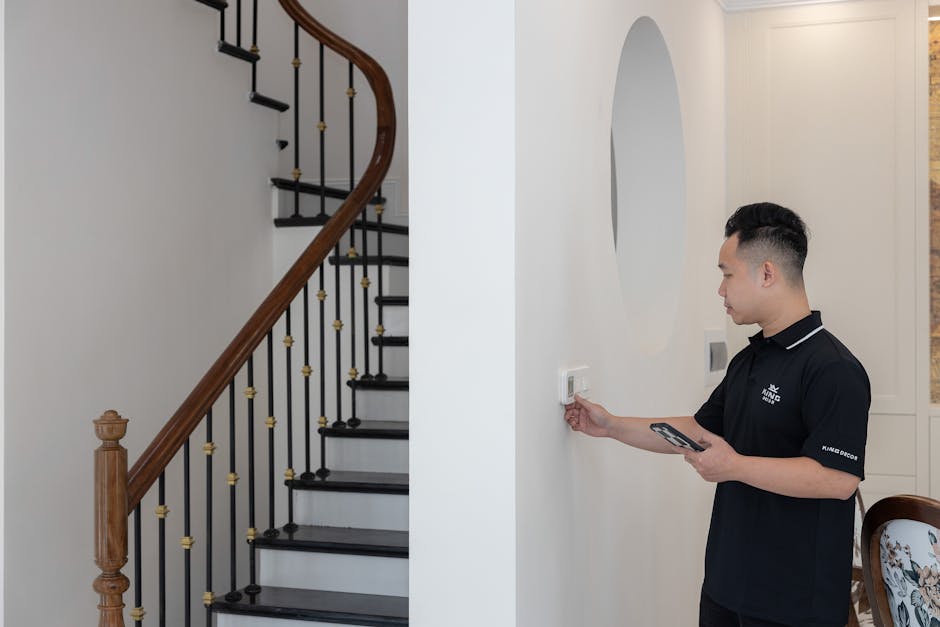
Navigating the world of smart thermostats for Home Assistant isn’t always straightforward. Many users, myself included, have hit unexpected snags. Avoiding these common mistakes can save you hours of troubleshooting and frustration.
- Assuming All Wi-Fi Thermostats Have Good Local APIs: Just because a thermostat connects to your Wi-Fi doesn’t mean it offers a local API for Home Assistant. Most Wi-Fi thermostats default to cloud-only communication, meaning Home Assistant has to interact with a manufacturer’s server. This can be slow, unreliable, and prone to breaking if the manufacturer changes its API. Always check for specific Home Assistant integration documentation before buying, looking for phrases like ‘local push’ or ‘LAN control’.
- Ignoring Protocol Compatibility: Z-Wave and Zigbee are fantastic for local control, but you need the right hardware. If you buy a Z-Wave thermostat, you’ll need a Z-Wave USB stick (like a Zooz ZST10 700 or Aeotec Z-Stick 7) connected to your Home Assistant server. The same goes for Zigbee. Don’t assume your existing Wi-Fi router alone is enough for these protocols.
- Overlooking API Rate Limits: For cloud-based integrations, manufacturers often impose limits on how many requests Home Assistant can make to their servers in a given time. If your automations are too aggressive in polling the thermostat for status updates or sending commands, you might get temporarily blocked, leading to unresponsive control. Read community forums for any known rate limit issues with specific brands.
- Underestimating Installation Complexity: Some smart thermostats require a C-wire (common wire) for continuous power. Older homes might not have one, requiring you to run a new wire, install a power extender kit (like an Ecobee Power Extender Kit), or choose a battery-powered thermostat (which are rare for full functionality). Always check your existing wiring before purchasing.
- Not Considering Remote Sensors: While not a pitfall in integration, many users overlook the value of remote temperature and occupancy sensors. Relying solely on the thermostat’s built-in sensor, often located in a hallway, can lead to uneven heating or cooling in your most used rooms. Investing in a system that supports external sensors, and integrating those into Home Assistant, provides much more accurate and comfortable climate control.
Essential Features for a Home Assistant-Ready Thermostat
A smart thermostat for Home Assistant isn’t just about turning the heat up or down. It’s about data, control, and seamless integration into a larger ecosystem. The best options offer a rich feature set that Home Assistant can tap into, providing granular control and valuable insights.
First, consider the **communication protocol**. For Home Assistant users, Z-Wave, Zigbee, and Matter are often preferred due to their local control capabilities. Wi-Fi thermostats can work, but their reliability often hinges on a robust cloud integration. A thermostat that offers native Z-Wave or Zigbee communication eliminates cloud dependency for core functions, making it more resilient. Matter, the emerging smart home standard, aims to offer universal local control, and thermostats supporting it will be increasingly valuable.
Open API access and local control are . Can Home Assistant directly query the thermostat for its current temperature, setpoint, and operational state without going through an external server? Can it send commands locally? Some manufacturers, like Ecobee, provide robust cloud APIs that work well, but still present a potential point of failure. Others, particularly Z-Wave and Zigbee models, are designed for direct local interaction with a hub. This level of access allows Home Assistant to become the true brain, orchestrating complex automations based on real-time data from your thermostat and other sensors.
On-device sensors and local scheduling capabilities are also critical. While Home Assistant can handle complex schedules, a thermostat that can maintain a basic schedule locally means your heating/cooling system won’t completely stop if your Home Assistant server goes offline. Additionally, thermostats with built-in occupancy sensors, humidity sensors, or even air quality sensors provide valuable data points that Home Assistant can leverage. Imagine automatically adjusting humidity based on external weather data, or turning off the AC if no one is detected in the house for an hour, even if the schedule says otherwise.
Energy monitoring and reporting are often overlooked but incredibly useful. A good smart thermostat should be able to track your heating and cooling runtime, and ideally, estimate energy consumption. When this data is exposed to Home Assistant, you can build custom dashboards to visualize your energy usage, identify trends, and even integrate it with utility tariff data to optimize usage during off-peak hours. This moves beyond simple climate control to active energy management, a key benefit of a truly smart home.
Finally, consider expandability through remote sensors. Many premium thermostats offer additional wireless temperature or occupancy sensors that can be placed in different rooms. This allows the thermostat (or Home Assistant) to average temperatures across your home, or prioritize heating/cooling for occupied rooms. These remote sensors should also be easily integratable into Home Assistant, either through the thermostat’s own integration or directly if they use open protocols.
On-Device Sensors and Local Scheduling
A thermostat with an accurate built-in temperature sensor is a given. However, advanced models often include humidity sensors, and some even detect occupancy. These extra data points are incredibly valuable for Home Assistant. Humidity data can trigger dehumidifiers or humidifiers, or even adjust your comfort setpoints. Occupancy detection, especially when combined with external motion sensors already integrated into Home Assistant, can create incredibly efficient automations, ensuring energy isn’t wasted heating or cooling an empty room. Local scheduling, while often superseded by Home Assistant’s more powerful capabilities, provides a critical fallback. If your Home Assistant server goes down, a locally programmed schedule ensures your home doesn’t become an icebox or an oven, providing a layer of failsafe reliability.
Open API Access and Protocol Support
This is where the rubber meets the road for Home Assistant. Does the thermostat offer a well-documented API that Home Assistant can use? Is it a local API (preferred) or a cloud API? For maximum reliability and speed, **Z-Wave** and **Zigbee** protocols are hard to beat. They operate on a mesh network, consume low power, and communicate directly with a compatible USB stick on your Home Assistant server. This cuts out the internet and proprietary clouds entirely for basic control. For Wi-Fi devices, look for manufacturers that explicitly support LAN control or publish clear API documentation. Without this, you’re always at the mercy of cloud services.
Energy Monitoring and Reporting
Tracking energy usage is a significant advantage of smart thermostats. Many models provide daily, weekly, and monthly reports on heating and cooling runtime. When this data is exposed to Home Assistant, you unlock powerful insights. You can overlay energy consumption with outdoor temperature, compare against previous periods, and even integrate with utility company APIs (if available) to see your actual energy costs in real-time. This level of detail empowers you to make informed decisions about your climate control settings, potentially saving significant money over time. It transforms the thermostat from a simple controller into an energy management tool.
Top Smart Thermostat Picks for Home Assistant Integration (2026 Insights)

Choosing the right smart thermostat for Home Assistant involves balancing features, cost, and most importantly, integration reliability. Here are some of the standout options, considering their performance and compatibility with Home Assistant, as we move into 2026.
| Thermostat Model | Approx. Price | Key Protocols | HA Integration | Strengths for HA | Considerations for HA |
|---|---|---|---|---|---|
| Ecobee SmartThermostat Premium | $250 – $300 | Wi-Fi, Bluetooth (for sensors) | Cloud API (excellent) | Robust features, remote sensors, HomeKit support (local fallback for some features) | Relies on Ecobee cloud; no native Z-Wave/Zigbee |
| Tado Smart Thermostat V3+ | $200 – $250 (Starter Kit) | Wi-Fi (with Bridge), Thread/Matter (future) | Cloud API (reliable) | Geo-fencing, multi-zone control, open window detection | Requires Tado Bridge; cloud dependent currently |
| Honeywell T6 Pro Z-Wave | $120 – $150 | Z-Wave Plus | Local (Z-Wave) | Pure local control, C-wire required for full function | Fewer advanced features (e.g., no built-in occupancy) |
| GoControl Z-Wave Thermostat (TBZ48) | $70 – $100 | Z-Wave | Local (Z-Wave) | Budget-friendly, solid local control, simple interface | Basic feature set, less aesthetic design |
| Google Nest Learning Thermostat | $200 – $250 | Wi-Fi | Cloud API (requires Google integration) | Learning algorithms, sleek design | Heavy cloud dependency, Google account required, less local control for HA |
Ecobee SmartThermostat Premium
The Ecobee SmartThermostat Premium, typically priced between $250 and $300, remains a top contender for those who prioritize a rich feature set and an excellent cloud integration. While it’s Wi-Fi based and relies on Ecobee’s cloud, its Home Assistant integration is one of the most stable and feature-rich for a cloud-dependent device. It exposes a wealth of sensors, including temperature, humidity, and occupancy from both the main unit and included remote sensors. The ability to pull in data from multiple room sensors and use them for automation in Home Assistant is incredibly powerful. You can, for example, set your climate based on the average temperature of occupied rooms, or trigger specific automations when a room becomes occupied. The built-in air quality sensor is also a nice bonus for Home Assistant dashboards.
Tado Smart Thermostat V3+
Tado, with its V3+ Smart Thermostat Starter Kit costing around $200-$250, offers a compelling solution, especially for those considering multi-zone heating. Tado’s strength lies in its comprehensive system that includes radiator thermostats and a robust geo-fencing feature. While it currently operates via a mandatory Tado Bridge and cloud service, its Home Assistant integration is solid, offering control over zones, current temperatures, and even open window detection. Tado has also committed to supporting Thread and Matter, which could bring significant local control improvements in the future, making it a forward-looking choice for Home Assistant users.
GoControl Z-Wave Thermostat (TBZ48)
For a purely local, budget-friendly option, the GoControl Z-Wave Thermostat (TBZ48), often found for $70-$100, is an excellent choice. This thermostat communicates directly via Z-Wave to your Home Assistant hub, providing true local control without any cloud dependencies. It’s a no-frills device: simple display, basic controls, and no fancy algorithms or remote sensors. However, for Home Assistant users, its strength is its direct, reliable integration. You can control all its functions—mode, setpoint, fan—directly from Home Assistant. If your priority is maximum local control and minimal fuss, and you’re happy for Home Assistant to handle all the “smart” logic, the GoControl TBZ48 is a solid, cost-effective pick.
Navigating Z-Wave and Zigbee Options for Pure Local Control
For many Home Assistant users, the ideal smart thermostat communicates locally, bypassing cloud servers entirely. This is where Z-Wave and Zigbee shine. These mesh networking protocols offer robust, low-power communication directly with your Home Assistant hub, provided you have the necessary USB coordinator. But choosing one involves more than just picking a device; it means understanding the ecosystem.
Why Choose a Z-Wave or Zigbee Thermostat?
The primary reason to opt for a Z-Wave or Zigbee thermostat is **pure local control**. This means your thermostat communicates directly with a compatible USB stick (like an Aeotec Z-Stick 7 for Z-Wave or a ConBee II for Zigbee) plugged into your Home Assistant server. There’s no internet connection required for basic operation, no reliance on third-party cloud servers, and significantly reduced latency. This setup enhances privacy, improves reliability during internet outages, and gives you complete ownership over your home automation data. For those building a resilient smart home, these protocols are foundational. You gain full control over every parameter the device exposes, allowing for highly customized automations that are both fast and secure. For example, a Z-Wave thermostat can instantly react to an occupancy sensor’s status update without sending data outside your home network.
What are the Setup Hurdles for These Devices?
While Z-Wave and Zigbee offer superior local control, they do come with their own set of setup considerations. First, you need a compatible USB coordinator for your Home Assistant server. These typically cost between $40 and $80. Installation of these devices, while not overly complex, does involve ensuring proper drivers are loaded and that Home Assistant is configured to recognize the stick. Pairing Z-Wave and Zigbee devices can sometimes be finicky, requiring the thermostat to be in a specific pairing mode and Home Assistant to be actively searching. It’s also crucial to ensure the thermostat has power; most Z-Wave and Zigbee thermostats require a C-wire (common wire) for continuous operation, as battery power alone isn’t sufficient for the radio. If your furnace doesn’t have a C-wire, you’ll need to install one or use a power extender kit, which adds to the installation complexity and cost. However, once paired and powered, these devices are typically set-and-forget for local control.
Which Hubs Work Best with Them?
For Home Assistant, the “hub” for Z-Wave and Zigbee devices is typically a USB stick or a network gateway connected to your server. For **Z-Wave**, popular and highly recommended USB sticks include the Aeotec Z-Stick 7 ($70-$80) or the Zooz ZST10 700 series ($40-$50). These sticks integrate seamlessly with Home Assistant’s Z-Wave JS UI add-on, providing a robust interface for managing your Z-Wave network. For **Zigbee**, the ConBee II ($50-$60) or Sonoff Zigbee 3.0 USB Dongle Plus ($20-$30) are excellent choices, often used with the ZHA (Zigbee Home Automation) integration in Home Assistant. These coordinators manage the mesh network and translate commands between your Home Assistant automations and your thermostats. The beauty of this setup is that you’re not locked into a specific brand’s ecosystem for your hub; your Home Assistant instance becomes the universal coordinator for all your Z-Wave and Zigbee devices, including thermostats like the Honeywell T6 Pro Z-Wave or the GoControl TBZ48.
Cost vs. Capabilities: When to Spend More on Your Thermostat
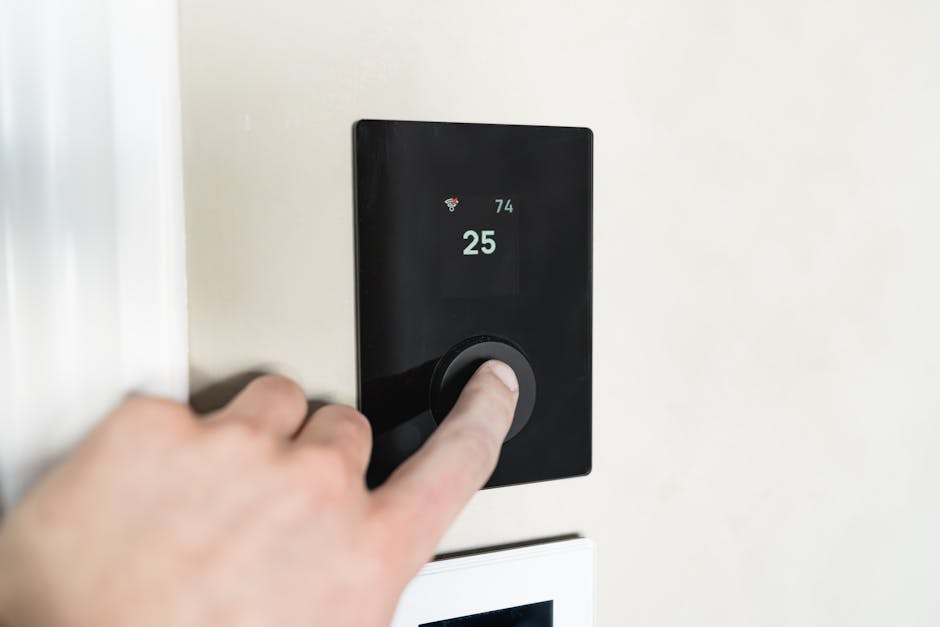
Don’t cheap out on your smart thermostat if Home Assistant is your core. While budget options exist, the investment in a more capable unit often translates to significantly better integration, more robust data, and ultimately, greater comfort and energy savings within your Home Assistant ecosystem. The initial sticker price can be misleading; consider the long-term value it brings to your entire smart home setup.
A basic Z-Wave thermostat might cost $70, providing fundamental temperature control. It works, and Home Assistant can manage schedules. But it won’t give you occupancy detection, humidity readings, or the ability to pair with remote sensors. If you add external sensors for these features, you might quickly spend more than the difference to a premium thermostat that includes them. More expensive thermostats, like the Ecobee SmartThermostat Premium at $250-$300, offer integrated occupancy, humidity, and even air quality sensors, plus remote sensors that can be strategically placed. These additional data points are gold for Home Assistant automations. They allow for much finer-tuned control, like adjusting climate based on actual room occupancy or managing indoor air quality.
Furthermore, premium options often feature more reliable hardware, better firmware, and more sophisticated algorithms (even if you ultimately let Home Assistant handle the primary logic). Their integration with Home Assistant, even if cloud-based, tends to be more stable and expose a wider array of entities and services. This means less troubleshooting for you and more functionality to leverage in your automations. Think of it this way: a thermostat is a critical component of your home’s comfort and energy efficiency. Paying a bit more for one that seamlessly feeds into your Home Assistant means unlocking its full potential, transforming it from a standalone gadget into an intelligent participant in your entire smart home symphony.
The Value of Advanced Sensors and Remote Units
Advanced thermostats often come equipped with more than just a temperature probe. Integrated humidity sensors, occupancy detectors, and even air quality monitors (like in the Ecobee SmartThermostat Premium) provide a richer data stream directly to Home Assistant. This data can be invaluable for creating truly intelligent climate control. For instance, Home Assistant can use humidity readings to trigger a smart dehumidifier only when necessary, or combine occupancy data from the thermostat with motion sensors to determine if a room is truly active. Remote sensors, which typically cost an extra $30-$50 each, allow you to monitor and control the temperature in specific rooms, rather than just where the main thermostat is located. This means Home Assistant can average temperatures across multiple zones, or prioritize heating/cooling for the rooms you’re actually using, dramatically improving comfort and reducing wasted energy.
Long-Term Energy Savings vs. Upfront Investment
While a $200-$300 smart thermostat might seem like a significant upfront cost, it’s an investment that often pays for itself in long-term energy savings. The granular control and detailed energy reporting capabilities, especially when leveraged by Home Assistant, allow for highly optimized heating and cooling schedules. Home Assistant can use external factors like weather forecasts, window/door open sensors, and individual room occupancy to make incredibly precise decisions. Instead of simply following a static schedule, your system can adapt dynamically. For example, if Home Assistant knows it’s an unusually warm winter day, it can delay heating. If a window is left open, it can pause the AC. These micro-optimizations, accumulated over months and years, can lead to substantial reductions in your utility bills, making the initial investment a smart financial decision.
The Ultimate Verdict: Your Ideal Home Assistant Thermostat
Choosing the best smart thermostat for Home Assistant boils down to your preference for local control versus advanced features. No single thermostat perfectly balances every aspect, but clear winners emerge for specific use cases. Prioritize what matters most for your smart home vision.
For those building a truly resilient, cloud-free smart home, a Z-Wave or Zigbee thermostat paired with a Home Assistant coordinator is the undeniable champion. If you’re comfortable with a robust cloud integration for more advanced features like remote sensors and learning algorithms, Ecobee offers a compelling package. Nest provides a sleek design and learning capabilities, but its deep integration with Google and cloud dependency makes it a less ideal choice for purist Home Assistant users.
- Best for Pure Local Control: Honeywell T6 Pro Z-Wave or GoControl TBZ48.
- Best for Feature-Rich Cloud Integration: Ecobee SmartThermostat Premium.
- Best for Multi-Zone & Future-Proofing (Potential Matter): Tado Smart Thermostat V3+.